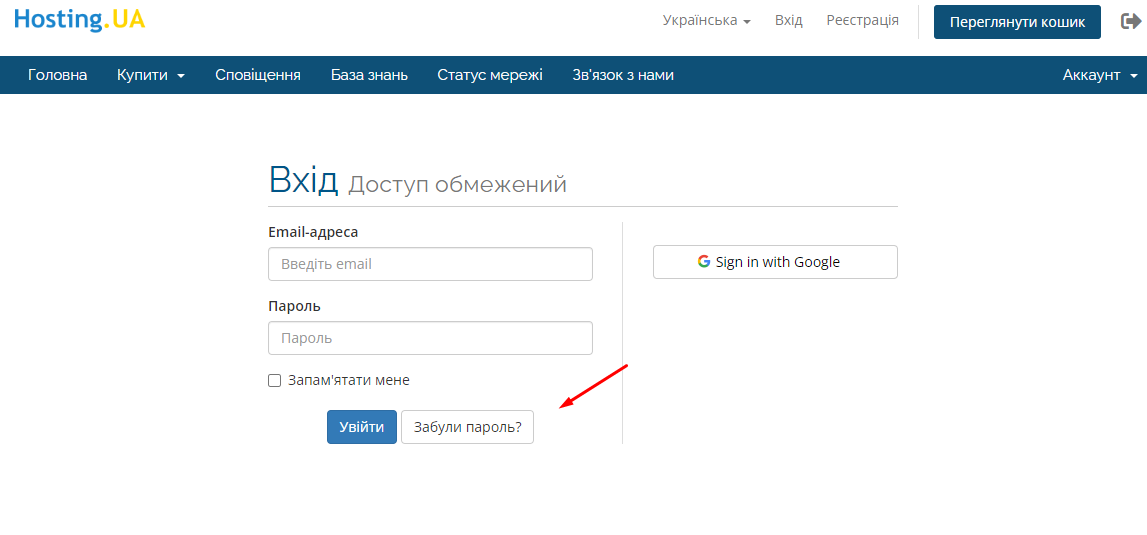
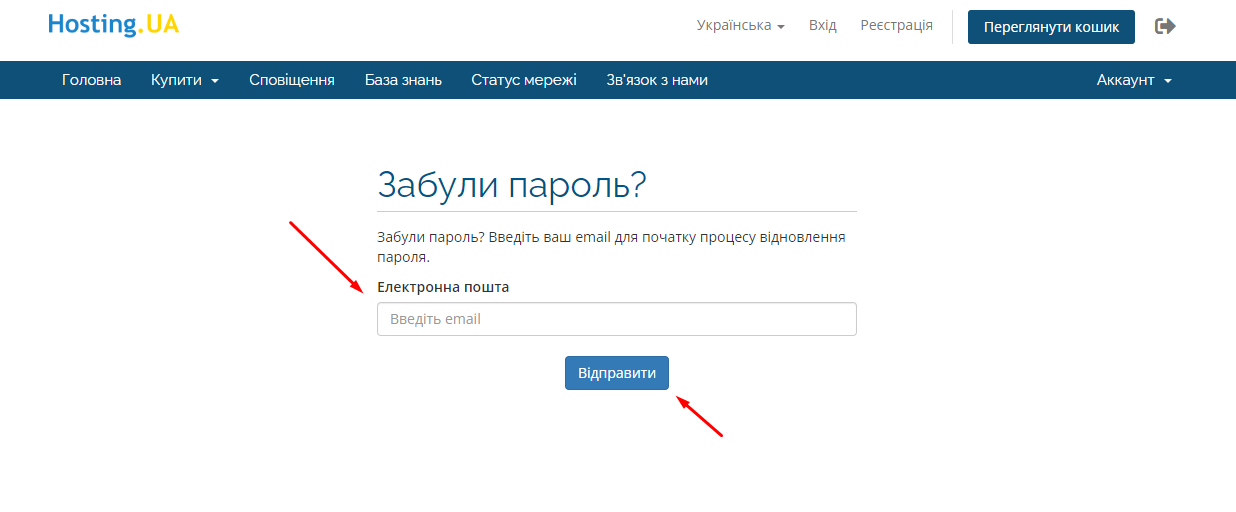
2 Після того як ви натиснули на «Забули пароль?», вас перекине на «Відновлення забутого пароля». Вам необхідно вести пошту, на яку ви реєстрували обліковий запис, і натиснути кнопку «Відправити»
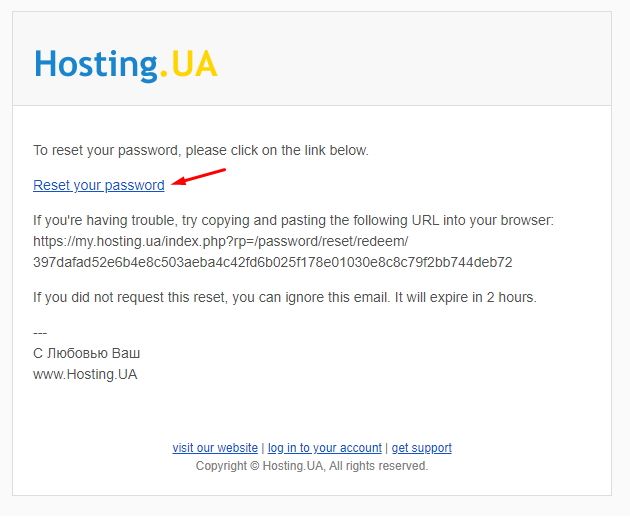
3 Після цього на вашу пошту прийде лист, у якому вам потрібно перейти за посиланням для введення нового пароля
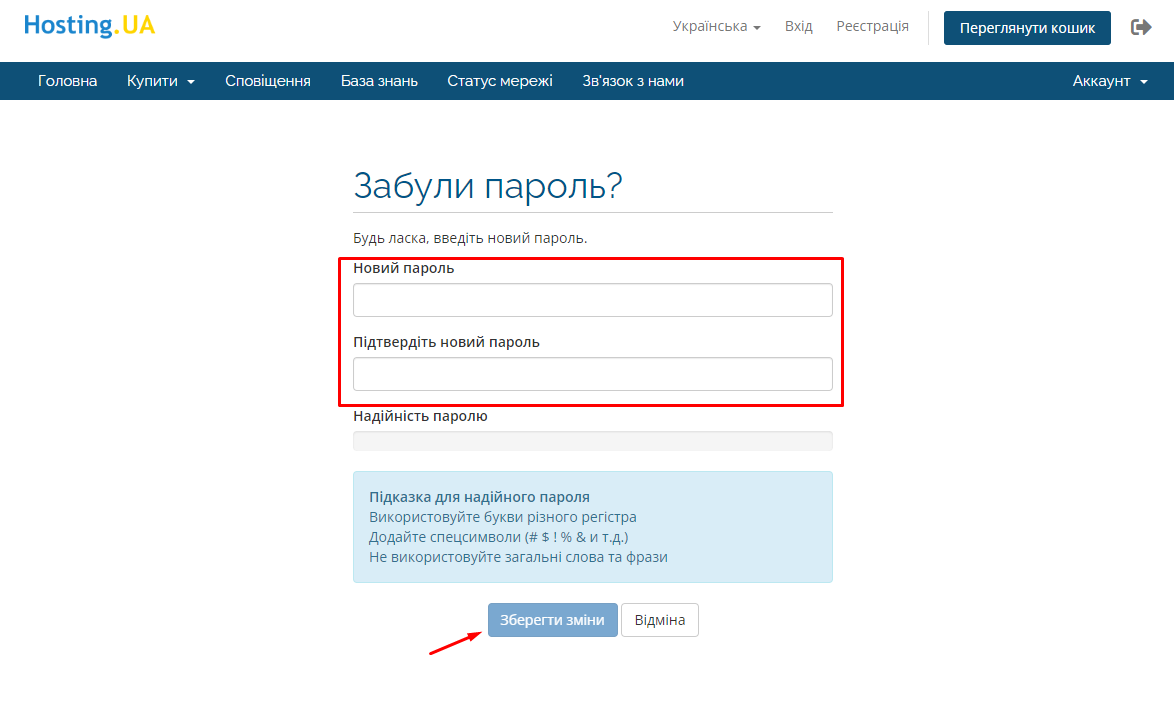
4 Вводимо новий пароль та повторюємо його. Потім натискаємо «Зберегти зміни»
5 На цьому все. Можна заходити на обліковий запис.
Privacy Settings:
Hosting.UA and third parties would like to store or access information on your end device, such as your computer, in particular through cookies and similar technologies. This serves to optimize the website, ensure its functionality, create user profiles, and display interest-based advertising. Your personal data is also processed in this context.
By clicking “Accept,” you consent to the storage and access of information on your end device, as well as to the processing described above and the transfer of data to third parties.
Remove Sensitive Data
Are you sure you want to permanently delete this sensitive data? This action cannot be undone, and the information will no longer be accessible.